MaintainHQ vs WPMU DEV
WPMU DEV bundles plugins, hosting, client billing and The Hub. MaintainHQ focuses on keeping every site healthy, with Gus doing the fixing.
Facts checked on 4 November 2026. Prices taken from each vendor's own website.
The short answer
MaintainHQ
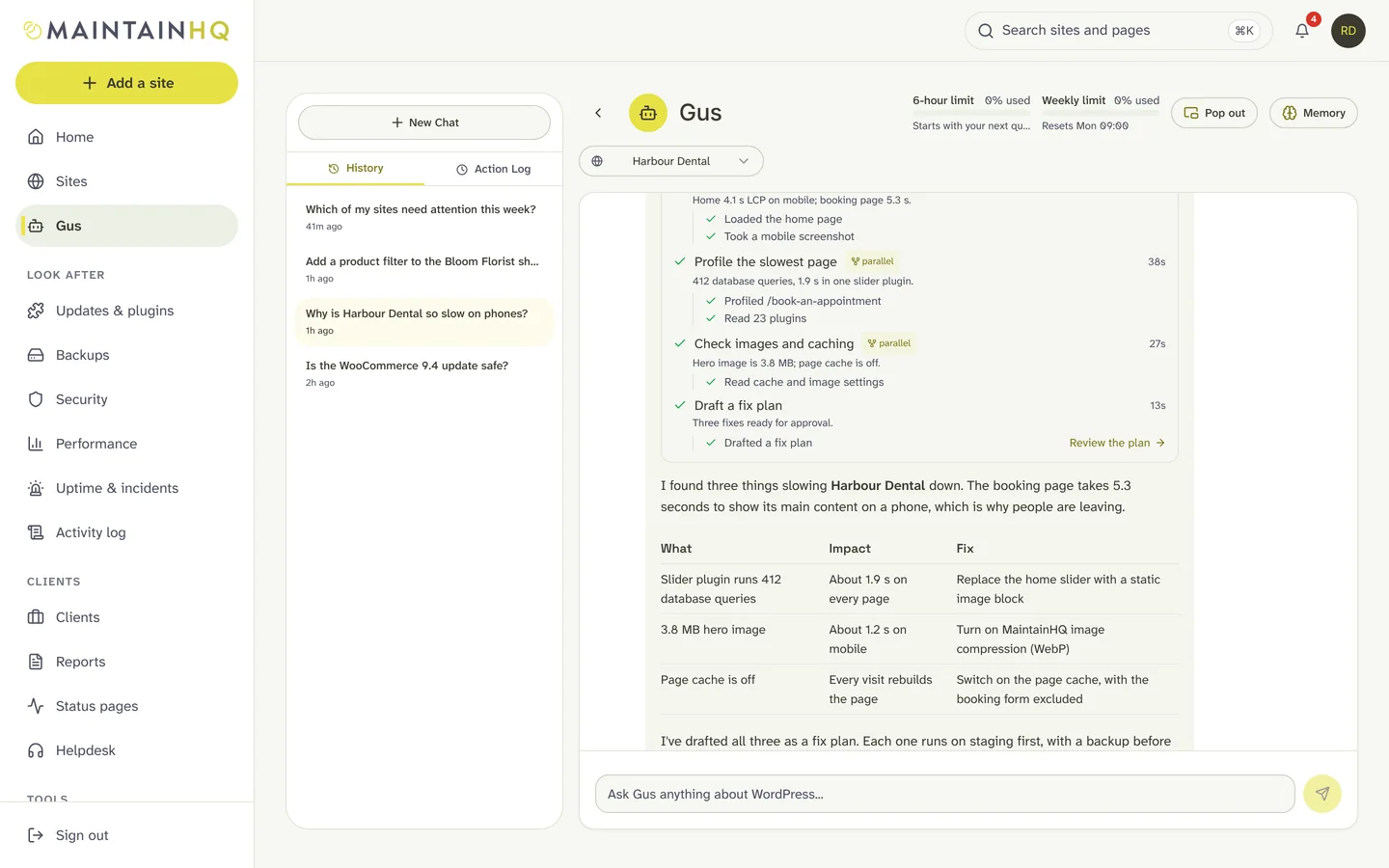
MaintainHQ is a cloud maintenance platform for agencies and freelancers. Gus, the AI WordPress engineer, diagnoses problems and fixes them with your approval, on staging or production as you choose, checked against WordPress coding standards, verified, and rolled back automatically if anything goes wrong. Around Gus you get safe updates with pre-update testing, backups, malware scanning, uptime with incident autopilot, team roles, white-label PDF reports and an API with an MCP server.
Choose MaintainHQ if
- You want an engineer that diagnoses and fixes, with your approval and automatic rollback
- You host with several companies and want one view of every site
- You want pre-update testing, incident autopilot and public status pages
WPMU DEV
WPMU DEV sells memberships that combine its Pro plugin suite, The Hub site manager, hosting and agency tools. The Hub covers updates, uptime, automated off-site backups, branded PDF reports, custom team and client roles, and client billing through Stripe (no fee on Premium, 7.5% on other plans). The Hub Client plugin gives clients a white-label portal on your own domain. A free Hub account exists with some features restricted.
Choose WPMU DEV if
- You want plugins, hosting and client billing from one company
- You want to bill clients through your maintenance dashboard
- You already use the WPMU DEV plugin suite on most sites
Side by side
| Feature | MaintainHQ | WPMU DEV |
|---|---|---|
| What it is | A cloud maintenance platform with an AI WordPress engineer (Gus). Works with sites on any host. | Membership with plugins, hosting and The Hub site manager |
| Updates | Bulk plugin updates, plus safe auto-updates with lanes, soak times, fleet waves and approval for major versions | Bulk and scheduled updates in The Hub |
| Backups | Scheduled and on-demand, incremental between full backups, retention you control with pinning, restore with a safety backup and automatic rollback | Automated off-site backups (server backups on their hosting, Snapshot Pro elsewhere) |
| Uptime and incidents | Uptime, SSL expiry and PHP error monitoring, public status pages, and incident autopilot: Gus diagnoses an outage and drafts the fix and status update for your approval | Uptime monitoring with alerts |
| Reports and white label | PDF client reports emailed on a schedule; white-label branding, sending address and portal domain on Agency | Branded PDF reports by email; white-label client portal |
| Team roles | Admin, member, viewer and client roles, limited to chosen sites if you like (1 seat on Starter, 2 on Starter Plus, 5 on Pro, unlimited on Agency) | Custom team and client roles, including billing access |
| Client portal | Client portal links and client seats that only see their own sites | The Hub Client: a branded client portal with billing |
| AI that fixes | Gus diagnoses and fixes: your approval for every fix, on staging or production as you choose, WordPress coding-standards checks, a backup, verification and automatic rollback | Not found in their public documentation |
Is MaintainHQ cheaper than WPMU DEV?
WPMU DEV plans start from $50 a year for the plugin suite on one site, with hosting priced separately; check their pricing page for the current membership price. MaintainHQ plans are flat and include Gus.
| Sites | MaintainHQ | WPMU DEV |
|---|---|---|
| Free or entry | Starter: $2.99/mo for 1 site | Free Hub account with some features restricted |
| A handful of sites | Starter Plus: $29/mo for 5 sites | Pro plugin plans from $50/yr (1 site), $75/yr (3), $100/yr (10) |
| 50 sites and more | Agency: $199/mo for unlimited sites (founding agencies $149/mo) | Premium membership and hosting priced separately |
Moving to MaintainHQ
Step 1: Paste your site addresses into the MaintainHQ importer (Sites, Import). It removes duplicates and shows a preview before anything is created.
Step 2: Each site gets a signed connector link that is valid for 24 hours. Install the MaintainHQ connector plugin with it; the connector runs alongside other management plugins, so you can keep The Hub connected while you compare.
Step 3: Turn on backups, safe auto-updates and monitoring in MaintainHQ, then switch off the overlapping jobs in The Hub so only one tool runs updates on each site.
Questions
Can MaintainHQ bill my clients like The Hub does?
No. MaintainHQ does not invoice your clients. It gives you client portal links, client seats and white-label PDF reports that show the work. If billing clients from your dashboard matters most, The Hub does that.
Do I have to stop using WPMU DEV plugins?
No. The MaintainHQ connector runs alongside other plugins, so you can keep the WPMU DEV plugins you like and let MaintainHQ handle updates, monitoring and Gus.
Can I run MaintainHQ alongside WPMU DEV?
Yes. The MaintainHQ connector is an ordinary WordPress plugin and runs alongside other plugins, WPMU DEV included. The one thing to avoid is two tools auto-updating the same site, so pick one to own updates on each site.
Facts about WPMU DEV checked on 4 November 2026 from their public websites. Prices and features change; if something here is out of date, tell us and we will correct it. Product names belong to their owners.
Try MaintainHQ free
From $2.99 a month for 1 site, with a 7-day trial. Connect your first site in minutes and let Gus run a health check.