A free page builder for WordPress.
Design pages by clicking on them. MaintainHQ Builder saves standard WordPress blocks and sends no JavaScript to your visitors. It will be free for anyone, on any host, with no account and nothing held back.
Coming soon. Leave your email and we will tell you when it is ready to download.
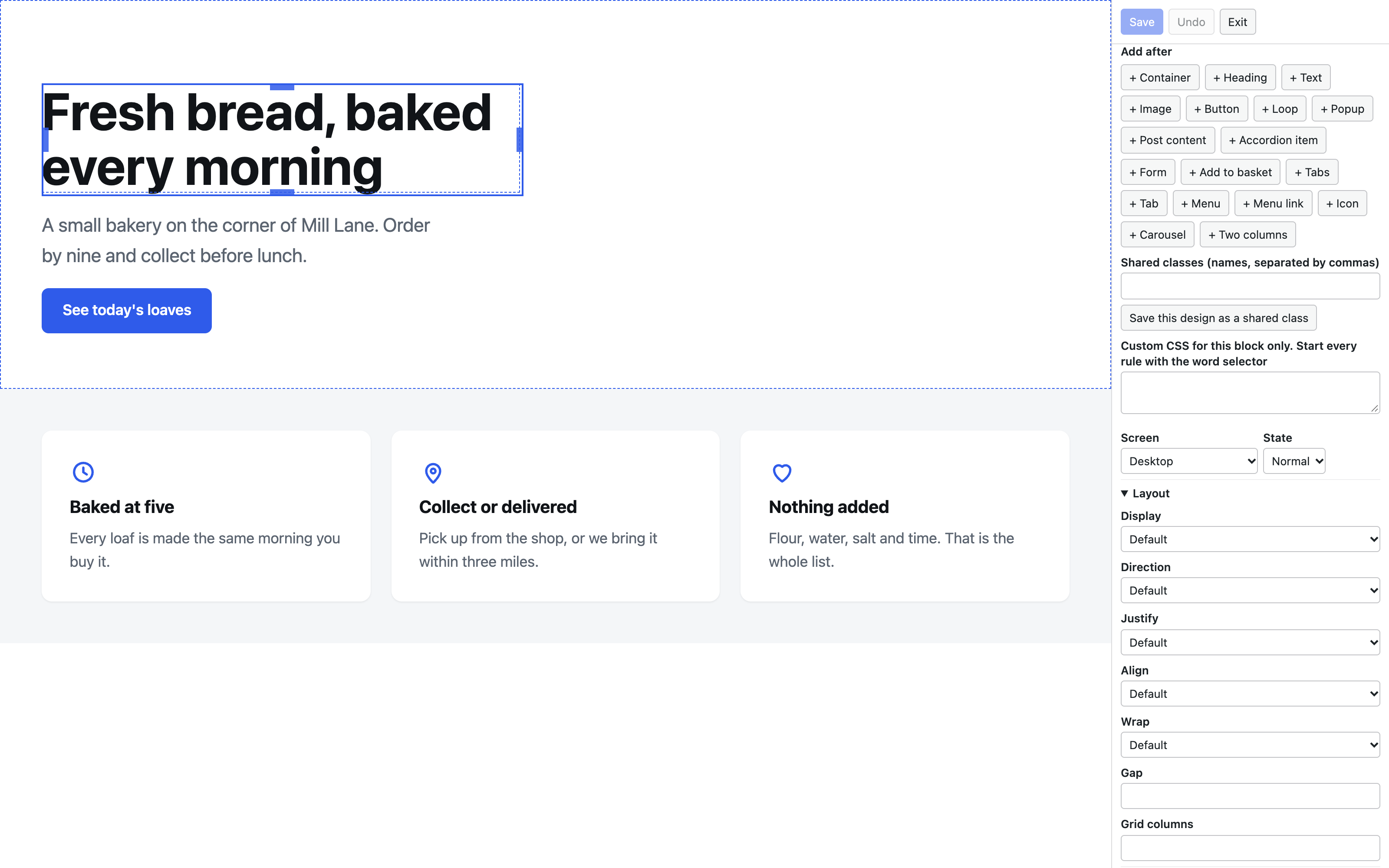
Fast for visitors
Pages that arrive as plain HTML and CSS
The builder does its work while you edit, not while your visitors wait. What reaches their browser is the page and the styles it needs.
Rendered on the server
No JavaScript for visitors
Only the CSS a page uses
Images in the right order
Edit on the page
Click what you want to change
Choose “Edit on the page” in the admin bar and the page itself becomes the editor. Click to select, double-click to type, and save when you are done.
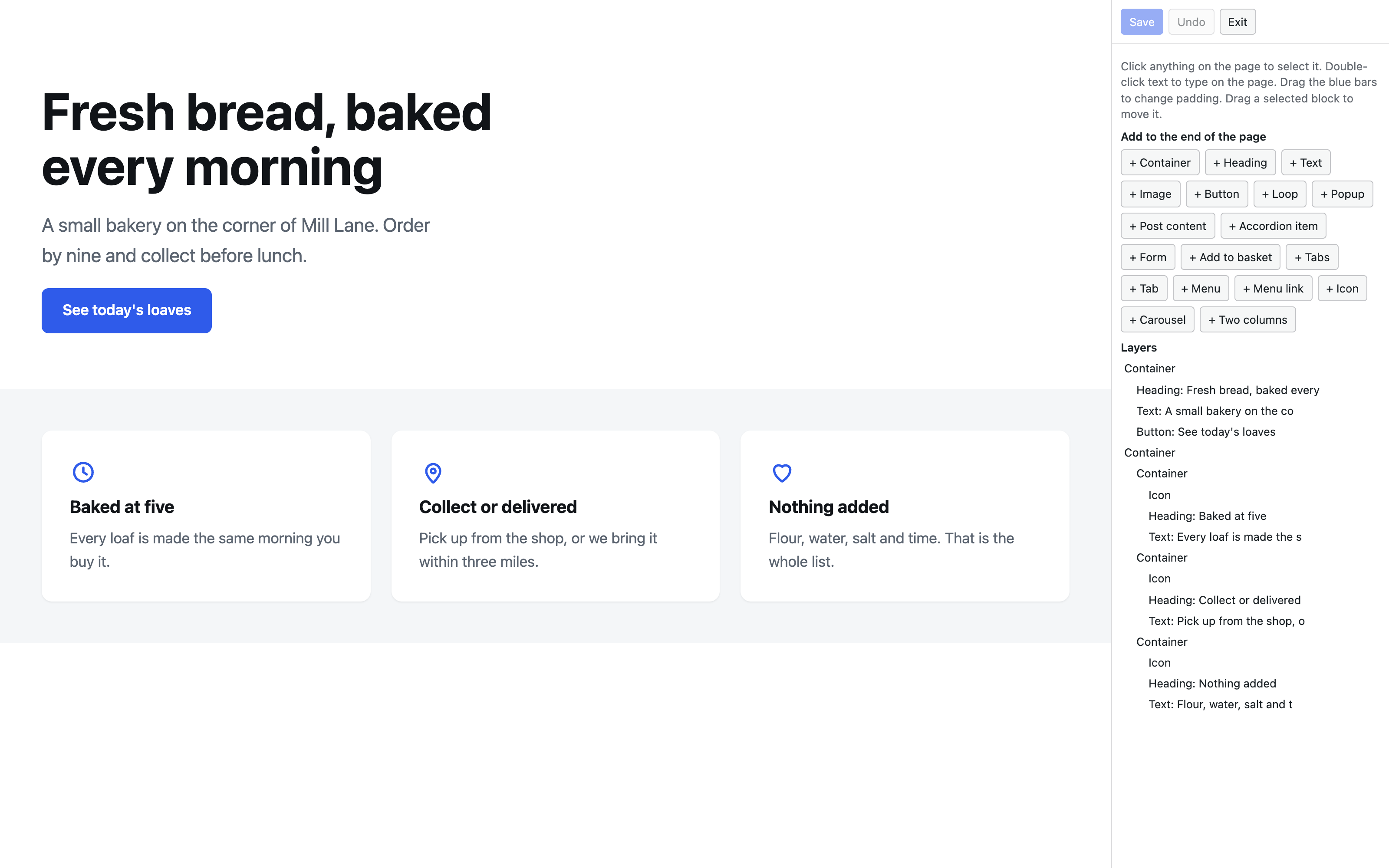
See the whole page as layers
Browse the page as a list of layers and add a block with one click. Duplicate or delete a block, or drag it to move it. Blocks from WordPress and other plugins can be moved, duplicated and deleted there too.
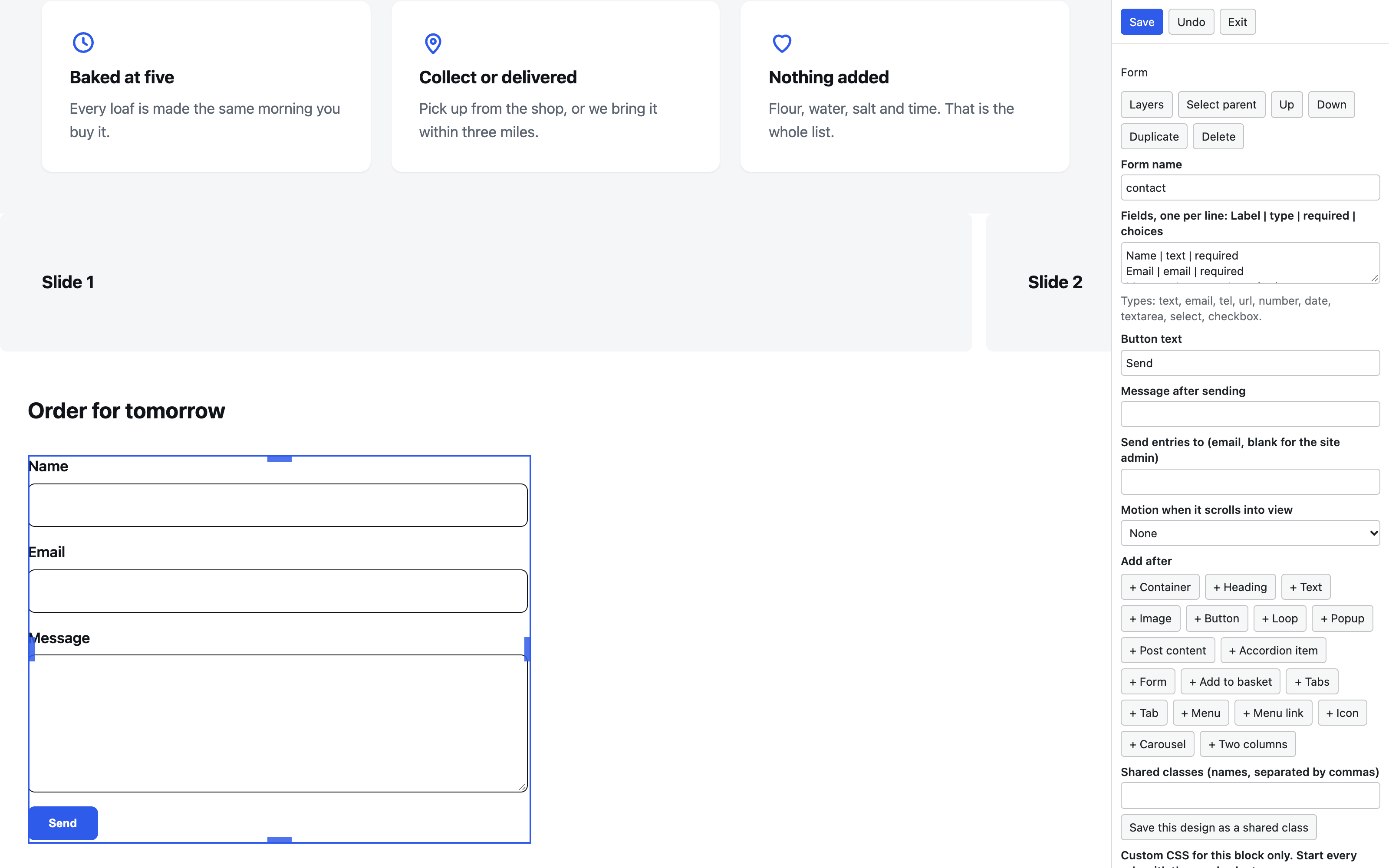
Build with real blocks
Add a contact form, a carousel or a two-column layout straight onto the page. Pick images from your media library, double-click any text to type, and drag the handles to change padding.
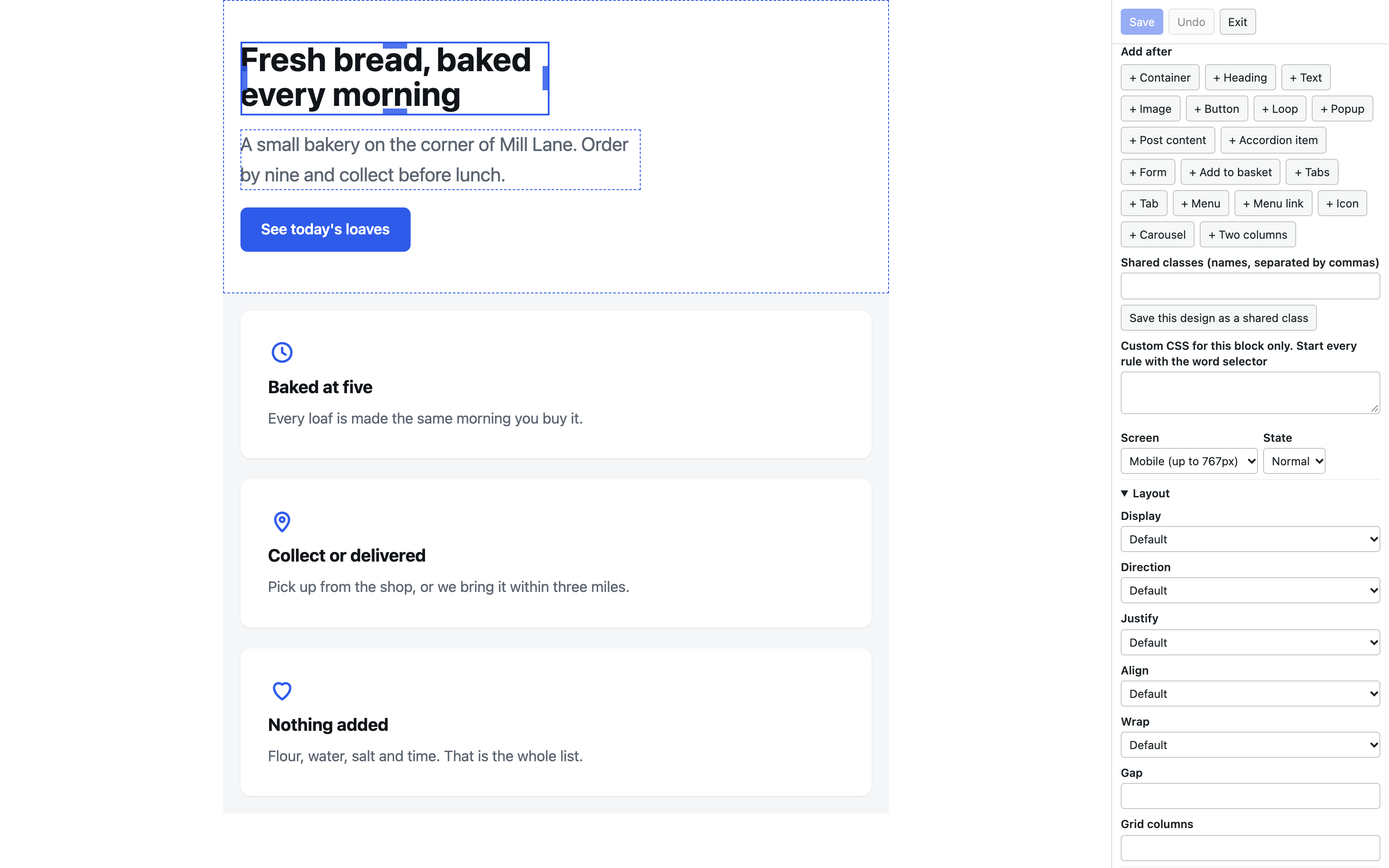
Check tablet and mobile as you go
Preview the page at tablet and mobile widths without leaving it, and give each screen size its own design. Undo when you change your mind.
Design
Full design control on every block
Every block has its own design for each screen size and each state, with about 70 CSS properties to work with.
- Per screen size. Separate settings for desktop, tablet and mobile.
- Per state. Hover, focus and active styles for any block.
- Motion in CSS only. Fade, slide, zoom and parallax as a block scrolls into view. Visitors who ask for reduced motion see the page still.
- Shared classes. Style something once and reuse the class everywhere.
- Custom CSS per block. Write your own CSS for a block, and it stays confined to that block.
- Design tokens. Your theme’s colours, fonts and spacing are offered as tokens, so pages stay consistent.
Blocks
The features other builders charge for
Everything below will be in the free download. There is no paid tier to unlock and nothing is held back.
Container
Heading, text, image and button
Loop
Popup
Accordion
Tabs
Navigation menu
Icons
Form
Add to basket
Carousel
Two columns
Beyond single pages
Dynamic content and a theme builder, included
Build the parts of a site that repeat, and fill them from the content you already have.
Dynamic content
Fill any text, link or image from the page, the site, the signed-in user, WooCommerce product values or a custom field.
Custom fields
Works with ACF, Secure Custom Fields and MaintainHQ Site Tools custom fields.
Theme builder
Header, footer, single, archive, search and page-not-found templates, each with display conditions that decide where it applies.
No lock-in
Because pages are standard blocks, your content stays readable in the normal WordPress editor.
The base theme
A quiet theme to build on
MaintainHQ Base is a block theme made to go with the builder. It uses system fonts and sends no JavaScript, and it comes with four looks that restyle the whole site.
Join the waitlistFour looks
- Ink
- Warm
- Bold
- Soft
Works with Gus
Ask Gus to draft the change
Gus, MaintainHQ’s AI WordPress engineer, can read a builder page and draft design or content changes. Nothing changes until you approve it, and every change gets a backup and automatic rollback.
This part needs a site connected to MaintainHQ. The builder itself does not.
Getting started
From download to your first page
When it is released there will be nothing to sign up for. The download is a zip file you upload to WordPress.
Step 1: Download the plugin
A zip file, free, with no account to create.Step 2: Upload it to WordPress
In your WordPress admin, go to Plugins, Add New, Upload Plugin, then activate it.Step 3: Edit on the page
Open a page and choose “Edit on the page” in the admin bar.Step 4: Add the base theme
If you want it, upload the theme under Appearance, Themes and choose one of its four looks.
Frequently asked questions
Is it really free?
Do I need a MaintainHQ account?
What does it add to my pages?
Am I locked in?
Does it work with WooCommerce?
Which custom fields does it read?
Can Gus edit builder pages?
When can I download it?
Be first to build with it.
Join the waitlist and we will email you when the plugin and the base theme are ready to download.
One email when it is ready. Free for anyone, on any host.