MaintainHQ vs WP Remote
Both take updates seriously. MaintainHQ adds an engineer that diagnoses and fixes what goes wrong.
Facts checked on 4 November 2026. Prices taken from each vendor's own website.
The short answer
MaintainHQ
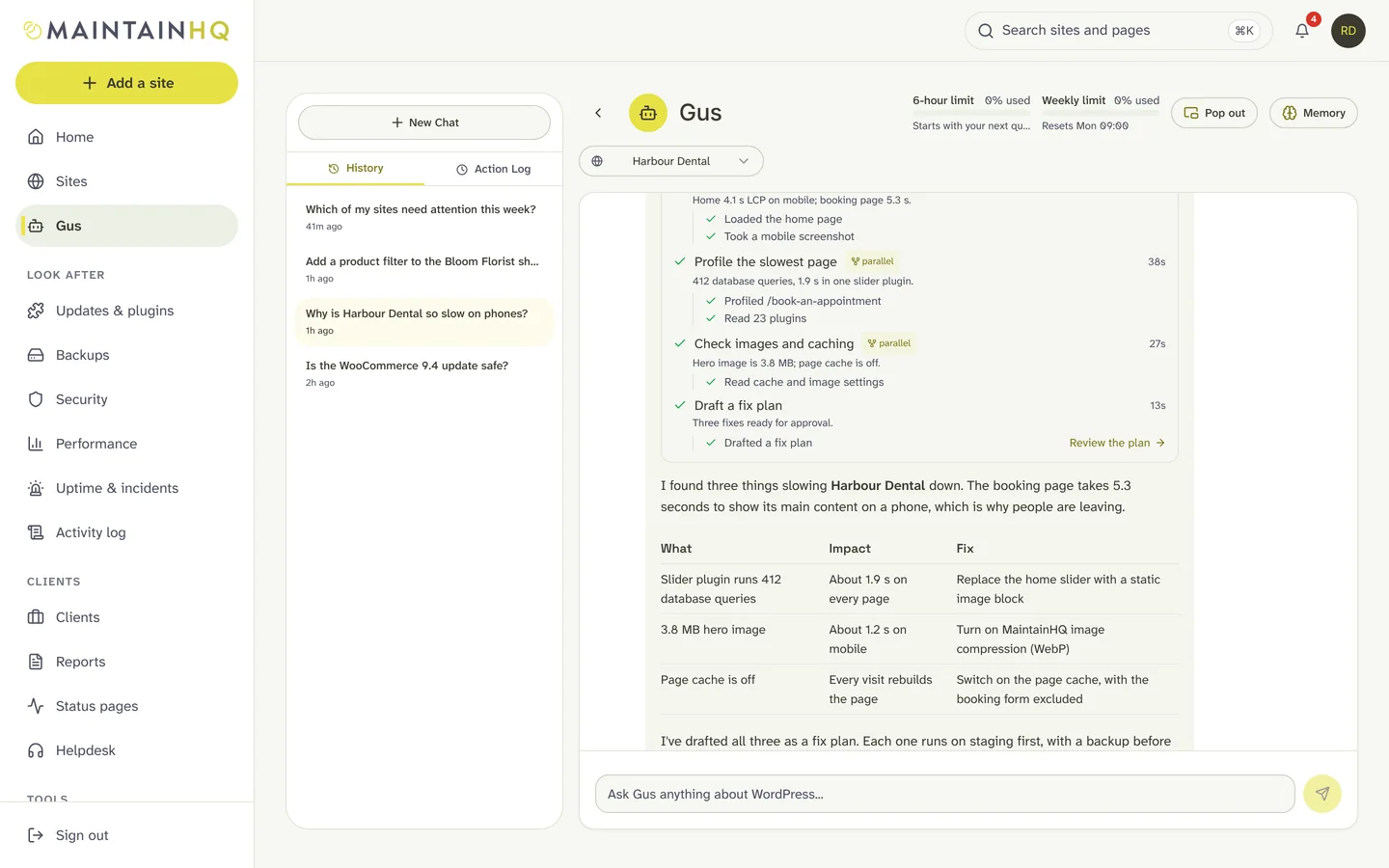
MaintainHQ is a cloud maintenance platform for agencies and freelancers. Gus, the AI WordPress engineer, diagnoses problems and fixes them with your approval, on staging or production as you choose, checked against WordPress coding standards, verified, and rolled back automatically if anything goes wrong. Around Gus you get safe updates with pre-update testing, backups, malware scanning, uptime with incident autopilot, team roles, white-label PDF reports and an API with an MCP server.
Choose MaintainHQ if
- You want Gus to diagnose and fix, not only score and test updates
- You manage enough sites that a flat plan costs less
- You want status pages, incident autopilot and an MCP server
WP Remote
WP Remote is a per-site maintenance dashboard. It scores updates with UpdateLens (a confidence score for each update), offers safe updates with a backup and staging, sandbox updates, malware scanning and virtual patching on higher tiers, and backups with retention from 50 to 365 days. Plans run from free to $19.99 per site per month.
Choose WP Remote if
- You want virtual patching and malware clean-up from one vendor
- You want long backup retention on a per-site price
Side by side
- Included
- Paid add-on
- Not available
| Feature | MaintainHQ | WP Remote |
|---|---|---|
| What it is | A cloud maintenance platform with an AI WordPress engineer (Gus). Works with sites on any host. | Cloud dashboard priced per site |
| Safe updates | Backup first for risky plugins, visual checks after the update and automatic rollback | Safe updates with backup and staging; sandbox updates on Premium |
| Pre-update testing | Gus reads the changelog, finds theme code that depends on the plugin, rehearses on staging and gives a verdict before a risky update reaches the live site | UpdateLens confidence score for each update |
| Backups | Scheduled and on-demand, incremental between full backups, retention you control with pinning, restore with a safety backup and automatic rollback | Daily backups with 50, 90 or 365 days retention by tier |
| Point-in-time and granular restore | Point-in-time restore, restore of single files or tables, and automatic backup verification | Restore from backups kept for 50 to 365 days |
| Security | Daily read-only malware scan of files and database, vulnerability alerts matched to installed versions, firewall, hardening, login lockout and core file integrity checks | Malware scanning; virtual patching on Premium; clean-up from $100 |
| AI that fixes | Gus diagnoses and fixes: your approval for every fix, on staging or production as you choose, WordPress coding-standards checks, a backup, verification and automatic rollback | Not offered |
| Pricing model | Flat plans: Starter $2.99/mo (1 site), Starter Plus $29/mo (5), Pro $79/mo (25), Agency $199/mo (unlimited). 7-day free trial. Gus is on every plan, with an allowance that resets every 6 hours and a weekly allowance, bigger on bigger plans. | Free, then $1.99 to $19.99 per site per month |
Is MaintainHQ cheaper than WP Remote?
WP Remote is $1.99, $4.99 or $19.99 per site per month on paid tiers (yearly prices lower). MaintainHQ is a flat plan per tier.
| Sites | MaintainHQ | WP Remote |
|---|---|---|
| Free or entry | Starter: $2.99/mo for 1 site | Free tier |
| A handful of sites | Starter Plus: $29/mo for 5 sites | Essential $1.99 per site per month |
| Around 25 sites | Pro: $79/mo for 25 sites | Premium $4.99 per site per month |
| 50 sites and more | Agency: $199/mo for unlimited sites (founding agencies $149/mo) | Advanced $19.99 per site per month |
Moving to MaintainHQ
Step 1: Paste your site addresses into the MaintainHQ importer (Sites, Import). It removes duplicates and shows a preview before anything is created.
Step 2: Each site gets a signed connector link that is valid for 24 hours. Install the MaintainHQ connector plugin with it; the connector runs alongside other management plugins, so you can keep WP Remote connected while you compare.
Step 3: Turn on backups, safe auto-updates and monitoring in MaintainHQ, then switch off the overlapping jobs in WP Remote so only one tool runs updates on each site.
Questions
Can I run MaintainHQ alongside WP Remote?
Yes. The MaintainHQ connector is an ordinary WordPress plugin and runs alongside other plugins, WP Remote included. The one thing to avoid is two tools auto-updating the same site, so pick one to own updates on each site.
What does Gus actually do?
Gus is the AI WordPress engineer built into MaintainHQ. It inspects a site, finds the cause of a problem and prepares a fix. Code changes are checked against WordPress coding standards and wait for your approval, then go to staging or production as you choose, after a backup. They are verified afterwards and roll back automatically if the site gets worse. Every change has a receipt you can share with the client.
Facts about WP Remote checked on 4 November 2026 from their public websites. Prices and features change; if something here is out of date, tell us and we will correct it. Product names belong to their owners.
Try MaintainHQ free
From $2.99 a month for 1 site, with a 7-day trial. Connect your first site in minutes and let Gus run a health check.